Your spreadsheet data.
Your custom app.

Build powerful applications on top of your existing spreadsheets. Add custom UIs, integrate AI, and write real business logic — without moving your data anywhere.

Beautiful UIs for Your Data

Transform dense spreadsheets into intuitive interfaces. Search, filter, and interact with your data the way you actually want to.

AI Built Into Your Workflow

Add LLM-powered features to your existing processes. Generate content, analyze data, and automate decisions — right where your data lives.

Real Code, Real Power

Go beyond formulas. Write Python for complex calculations, API integrations, and business logic that spreadsheets just can't handle.

Your data stays exactly where it is

No migrations. No imports. No sync issues. Termite connects directly to your Google Sheets, so your source of truth remains your source of truth. Every app you build reads and writes to your existing spreadsheets in real-time.

See what's possible

Real apps built on real spreadsheets

01

Inventory Management

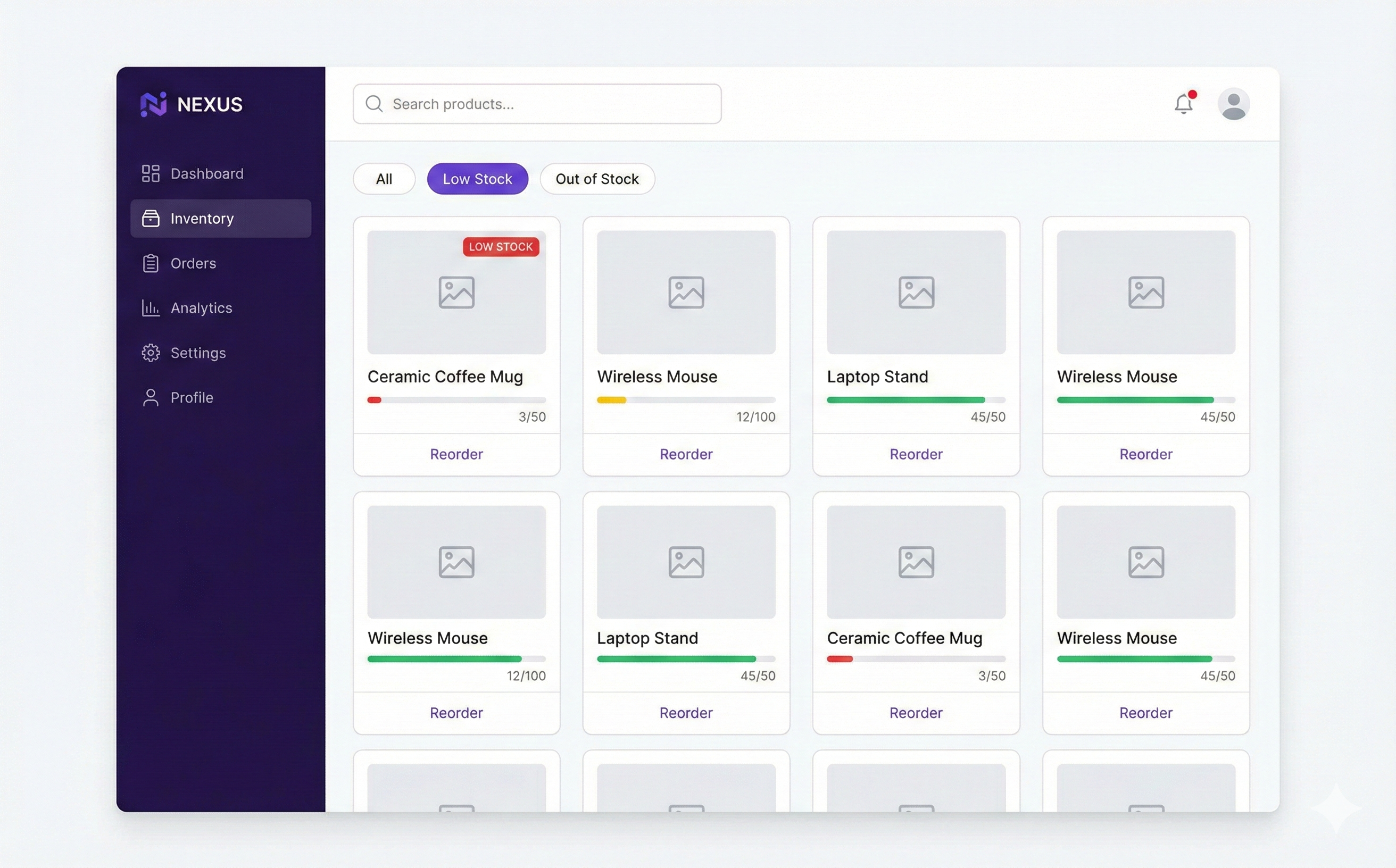
A retail team tracked 2,000+ products in a spreadsheet. Finding items meant endless scrolling and Ctrl+F. Now they have a searchable dashboard with low-stock alerts and one-click reorder buttons.

The prompt:

"Build an inventory dashboard from my spreadsheet. Add a search bar, filter by category, and show items as cards with stock levels. Highlight items below reorder level in red and add a reorder button for each."
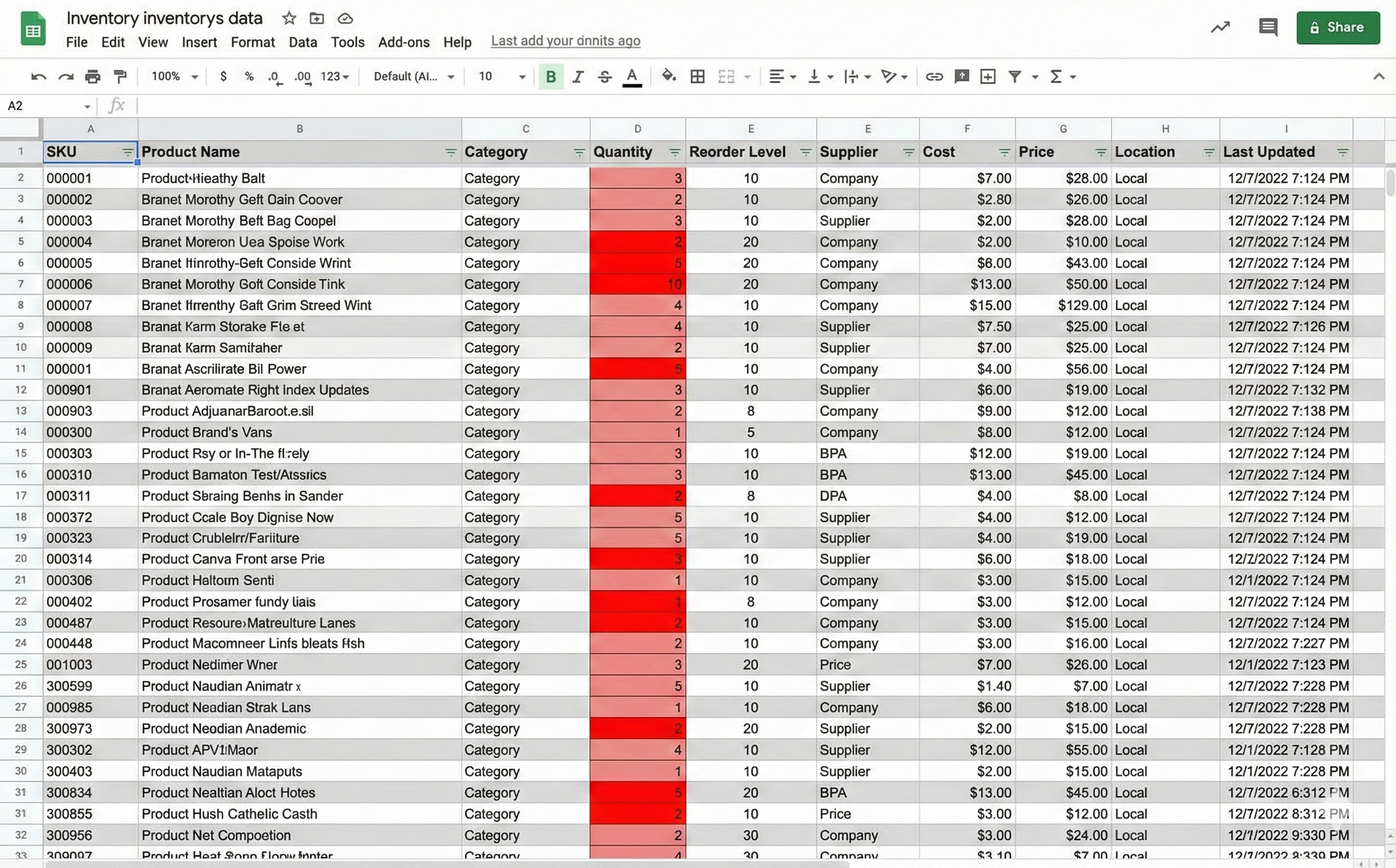
Before
Inventory spreadsheet - cluttered and hard to navigate
After
Inventory app - clean dashboard with search and filters
02

Customer Support Tracker

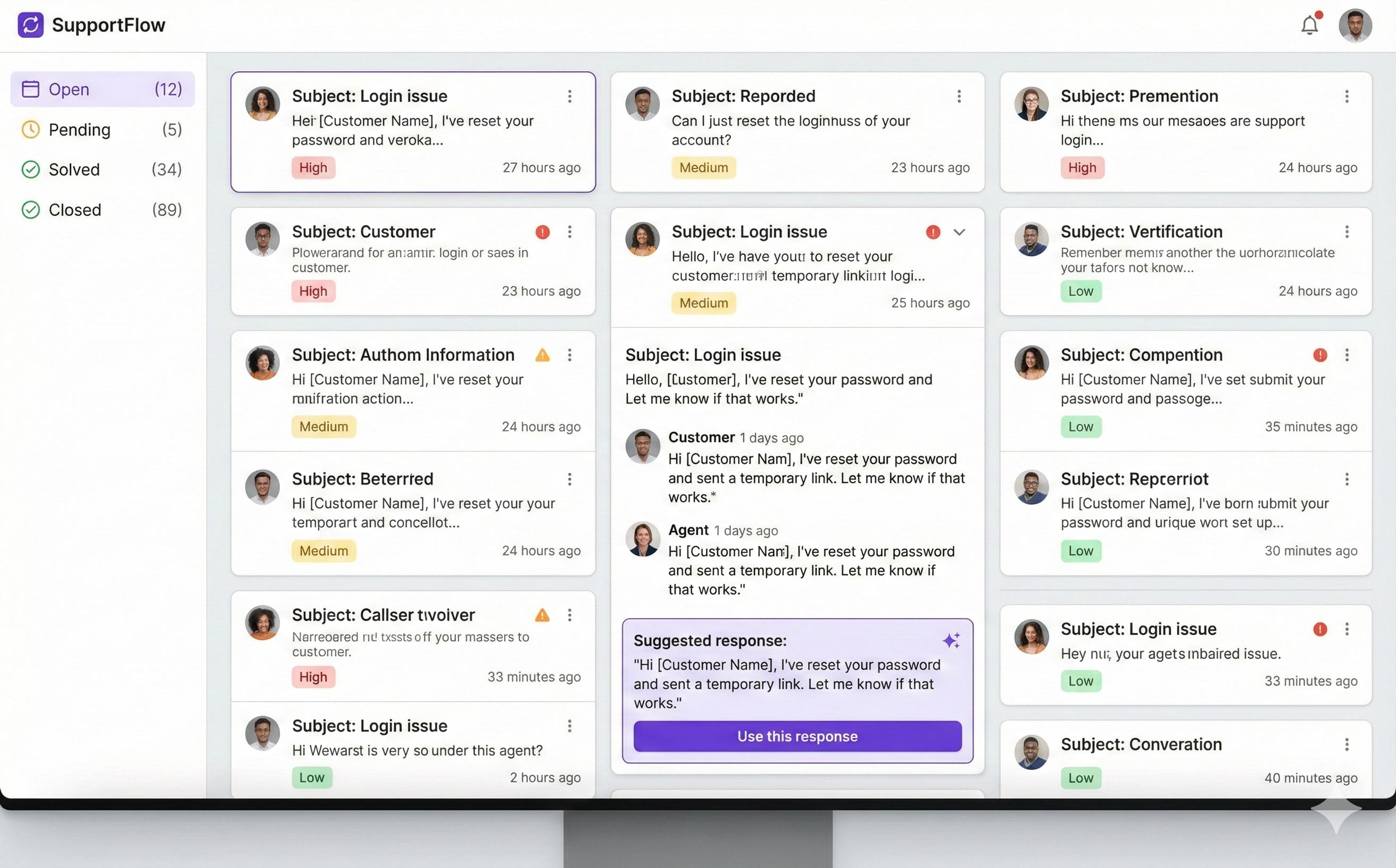
Support tickets lived in a shared spreadsheet — hard to prioritize, easy to miss. Now the team has a ticket queue with AI-suggested responses and automatic sentiment analysis.

The prompt:

"Create a support ticket interface from my spreadsheet. Show tickets sorted by priority with status badges. When I click a ticket, show the full details and use AI to suggest a response based on our previous replies."
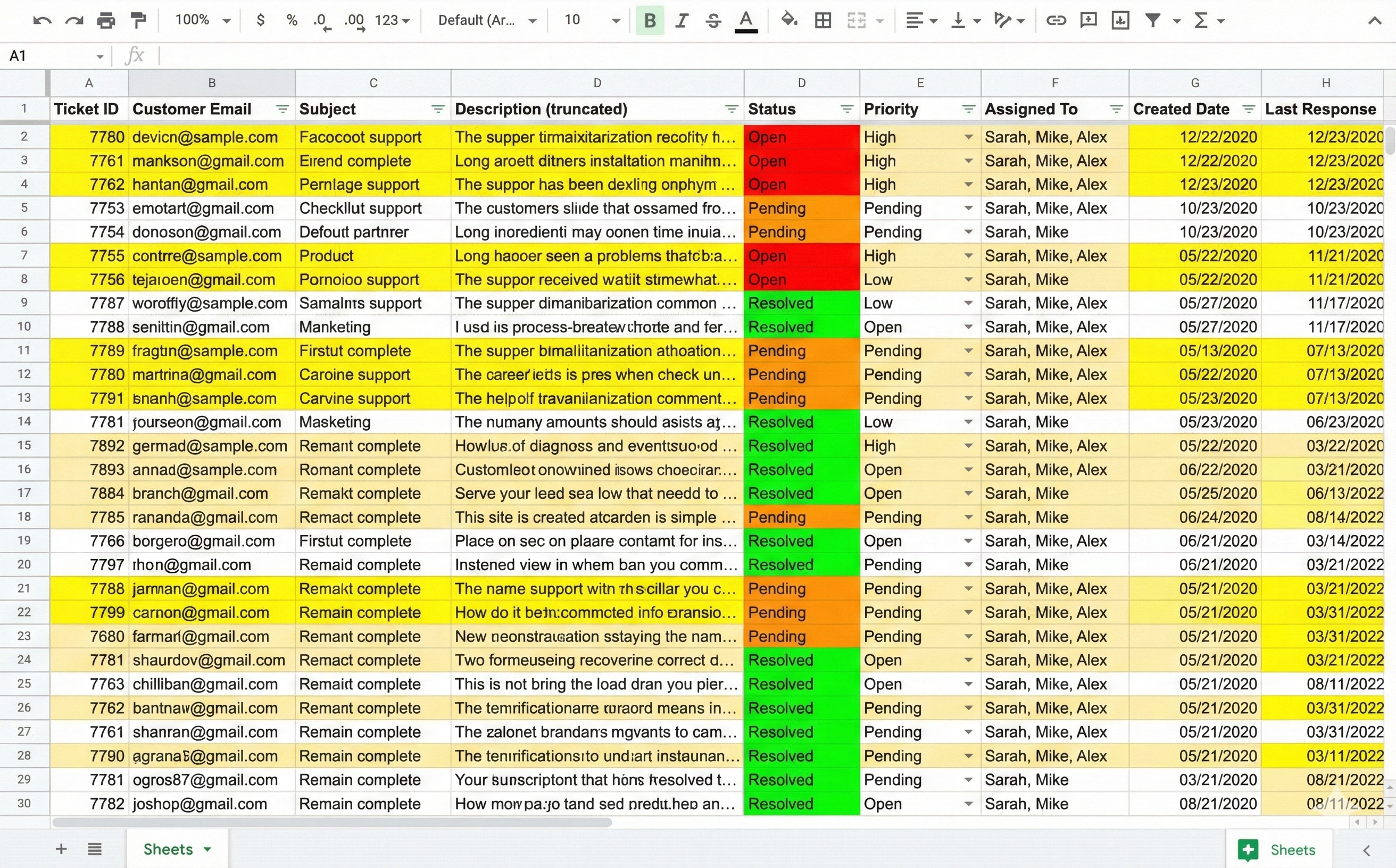
Before
Support tickets spreadsheet - chaotic and hard to prioritize
After
Support app - ticket queue with AI suggestions
03

Sales Pipeline

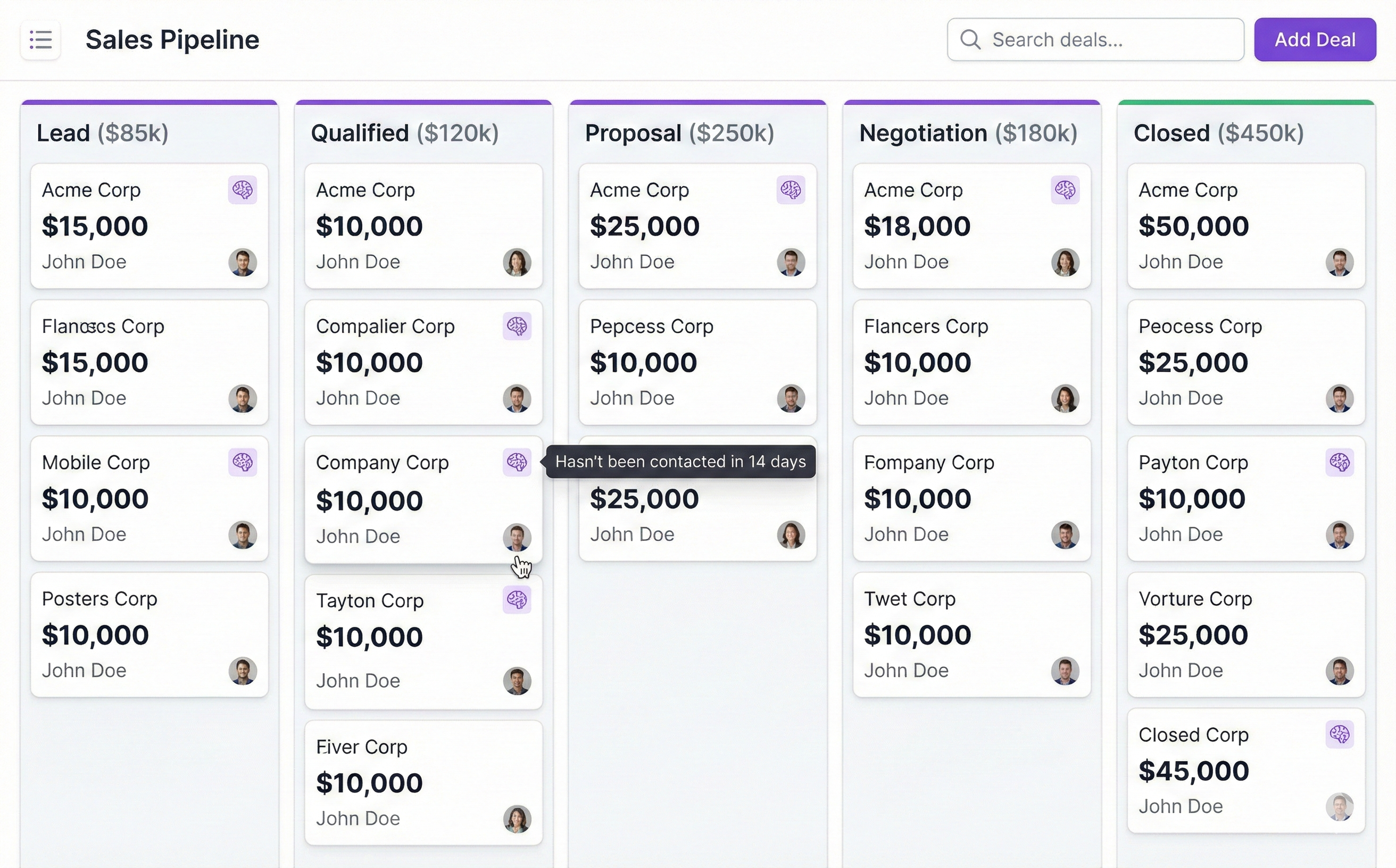
Deals were tracked row-by-row, making it impossible to see the big picture. Now sales reps drag deals across a Kanban board, with AI insights surfacing which deals need attention.

The prompt:

"Turn my sales spreadsheet into a Kanban board. Group deals by stage, let me drag them between columns, and show the total value per stage. Flag deals that haven't been updated in 2 weeks."

Before
Sales pipeline spreadsheet - rows of deals
After
Sales pipeline app - Kanban board with AI insights

Ready to build on your spreadsheets?

Start your free trial today.

Get Started